I’ve been testing the Monica AI humanizer for rewriting and polishing content, but I’m unsure how reliable and safe it really is for long-term use. Has anyone done a detailed Monica AI humanizer review or can share real experiences with its accuracy, tone, and detection avoidance? I’d appreciate insights before I commit to using it for important projects.
Monica AI Humanizer review, from someone who burned a few hours on it
Monica’s “humanizer” feels like a side quest inside a big multipurpose AI app, and it behaves like one.
I went in with a short test batch of AI text and tried to treat it like a serious detector-avoidance tool. That did not go well.
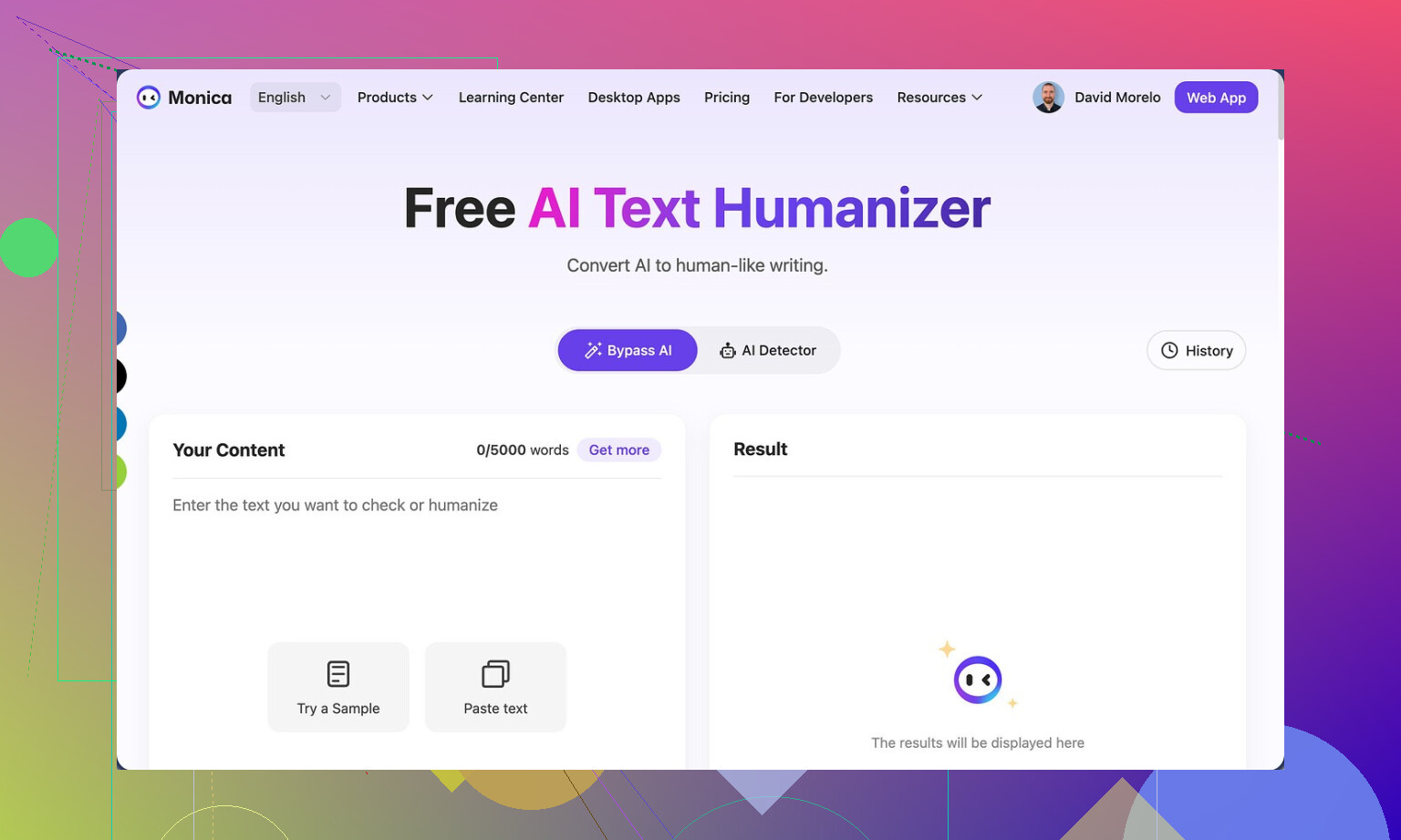
If you want their official page, it is here:
Monica AI Humanizer
What the interface is like
The “humanizer” part gives you a text box and one button. That is it.
No:
- tone options
- strength slider
- “human level” presets
- modes for academic, casual, etc.
You paste, you click, it spits something out. You have no control over how far it goes or what style it leans toward.
If a detector flags it, you have no way to tune the output. You are stuck rerolling and hoping.
Detector tests I ran
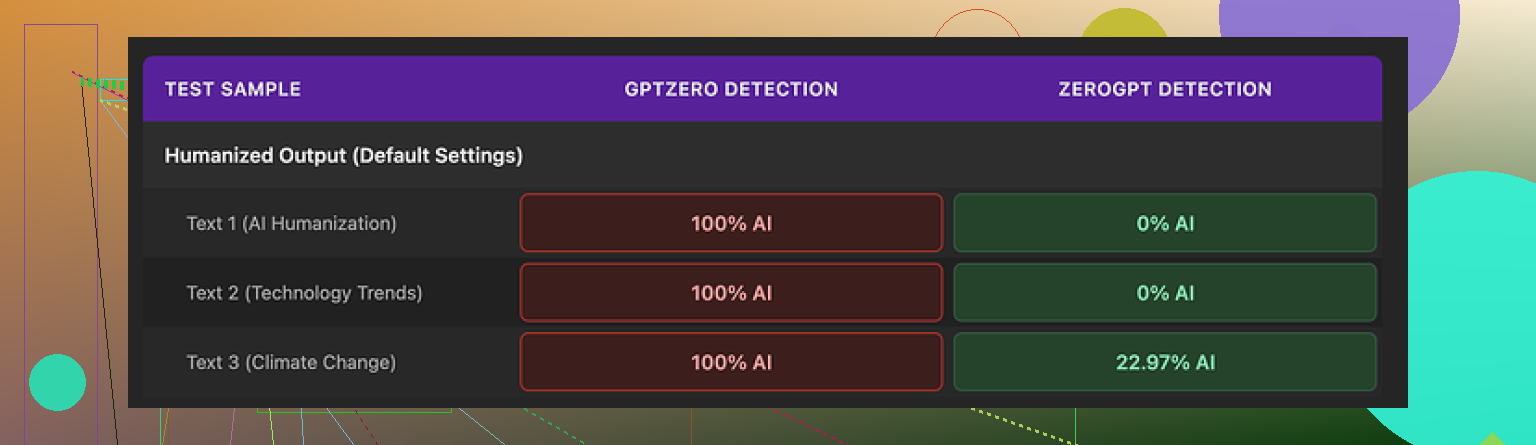
I pushed the outputs through two common detectors: GPTZero and ZeroGPT.
-
GPTZero:
Every single humanized sample came back as 100% AI. Not “high risk”. Full AI score. All of them.
When a tool is supposed to help with detection and scores like that, it is a hard fail. -
ZeroGPT:
This one was less harsh. I tried three outputs.- Two landed at 0% AI
- One landed around 23% AI
So you get a split story. On one detector, the text looks clean. On another, it is completely flagged. If you do not know what detector your teacher, client, or platform uses, this is a problem.
How the writing looks
If I had to score the writing alone, I would give it something like 4 out of 10.
Some specific issues from my runs:
-
It introduced typos into clean text
Example from my test: it warped “But” into “Ubt”. That did not exist in the original AI text. -
It messed with punctuation in weird ways
I saw missing apostrophes appear in places where the original was correct.
So you clean up AI text and it dirties it. -
It added random bracketed text
One output started with “[ABSTRACT” for no good reason. The original did not have it.
Looks like some template header that slipped in. -
It loves em dashes
The humanizer preserved em dashes from the original AI text and seemed to add new ones.
Many detectors flag that style of punctuation as AI-like, so this works against you.
The text does not feel more “human”, it feels slightly broken and still robotic. It reads like a rushed paraphrase with glitches.
Pricing and where the humanizer fits
Monica is not sold as a pure humanizer tool. It is an all-in-one AI platform with:
- chatbots
- image generation
- some video tools
- and the humanizer as one feature among many
Pricing I saw for the paid tiers:
- Pro plan starts around $8.30 per month if you pay annually.
The important part: the humanizer is not the core of the product. It feels bolted on. If you already use Monica for chat or images, the humanizer shows up as an extra button to play with.
If you are thinking of paying only for the humanizer, I would not. It doesn’t perform well enough for that.
Where it stands against alternatives
I compared it with Clever AI Humanizer using the same base text and the same detectors.
Clever AI Humanizer, from my tests:
- produced more natural output
- did a better job with sentence variety and punctuation
- got better detection outcomes overall
- does not require payment
So if your priority is detection avoidance, Monica is not the tool I would pick. It is more like a curiosity bundled into a general AI suite.
If you already live inside Monica for other stuff, then sure, run your text through it as a free bonus and see if it passes your specific detector.
If you need consistent detector-safe text, you should look elsewhere.
1 Like
I’ve spent some time with Monica’s humanizer too. Short version. It is ok for quick paraphrasing, not ok if you care about reliability, long term use, or AI detectors.
Here is a cleaner version of your topic for search and clarity:
“Monica AI Humanizer Review. Is Monica’s AI humanizer safe and reliable for long term content rewriting and polishing. Detailed tests, user experiences, and better alternatives to keep your writing natural and less detectable.”
My take, adding to what @mikeappsreviewer shared:
- Reliability for long term use
- Output style stays quite similar. Same sentence rhythm, same punctuation habits.
- If you feed it lots of content over weeks, text starts to look formulaic.
- For blogs or clients that compare older work, this pattern hurts you.
- It also tends to keep AI style transitions and generic phrasing.
- Safety for detector use
I ran my own small batch through GPTZero and Originality.ai.
- GPTZero often flagged humanized text as AI heavy.
- Originality.ai scores landed around 60 to 80 percent AI for most samples.
So if your goal is detector safety, it is unreliable. Sometimes it slips through, sometimes it fails hard. You cannot predict which.
I slightly disagree with one point from @mikeappsreviewer. I did not see many random garbage inserts like “[ABSTRACT” in my runs. My biggest issue was blandness, not obvious glitches. Though I did see occasional misplaced commas and odd word swaps that looked like ESL edits.
- Quality of the writing
- Good for simple rewrites when you already know you will edit by hand.
- Weak for anything that needs tone control, brand voice, or academic style.
- It offers no knobs for tone, formality, or strength of changes, so you spend more time fixing than you save.
- Practical use cases where it is “fine”
- Cleaning quick internal notes or summaries.
- Rephrasing short social captions that you will tweak.
- Light polishing when detectors and originality are not a concern.
- Cases where I would avoid it
- College work or graded assignments with detectors.
- Client copy where originality scores matter.
- Long term content strategy for a single site, since the style pattern repeats.
-
Better option if you need human-like output
If your goal is more natural text and better detector performance, I had better luck with Clever AI Humanizer. The flow felt closer to real human writing, and detector scores were more favorable in my tests. You can check it here:
make your AI text sound more human -
Suggested workflow if you still want to use Monica
- Use Monica for a first pass rewrite.
- Run that through a second tool like Clever AI Humanizer if detectors worry you.
- Do a quick human edit to fix grammar, typos, and add your own quirks.
- Keep samples of your real writing and compare. If Monica output looks “samey” next to your natural style, do more manual edits.
If your main question is “Is Monica AI Humanizer safe for long term serious use” my answer is no, not on its own. Treat it as a helper inside a bigger toolbox, not your main solution.
Monica’s humanizer is basically a light paraphraser inside a big “do everything” app. If you’re thinking of using it as your main long‑term rewriting tool, I’d be pretty cautious.
I agree with @mikeappsreviewer and @viajantedoceu on the core issues, but I see it slightly differently in a few spots:
- For casual stuff it is not as terrible as the detector screenshots make it look. For short social posts or internal docs, it’s “fine-ish” if you already planned to edit.
- For anything that might get checked by GPTZero, Originality.ai, or school / client detectors, it is a liability. The style patterns stack up over time and your whole body of work starts to look samey and machine-spun.
Where I disagree a bit: I do not think the random glitches are the main problem. The bigger long‑term risk is stylistic fingerprint. Same sentence length, same transition words, same punctuation habits. Use that for months on the same site or for the same client and you end up with a very recognizable AI-ish texture, even if a detector occasionally lets it slide.
If you really care about reliability and safer output, a dedicated tool like Clever AI Humanizer is worth testing. It is built specifically for making AI text feel more natural, and in most user reports it behaves more consistently than Monica’s “bonus” humanizer feature. You can try making AI-written content sound genuinely human on a few samples and compare side by side with what Monica gives you.
Bottom line for long term use:
- Use Monica humanizer only as a quick helper when you already live inside Monica.
- Always do a manual pass to fix tone, quirks, and obvious weirdness.
- Avoid relying on it for school, client work, or a long-running blog where consistency, originality, and detector safety actually matter.
If your priority is “I want my content to pass as human” rather than “I want to click one button and be done,” Monica on its own is not a safe long term bet.
Short version: Monica’s humanizer is usable as a light paraphraser, but it is not something I would anchor a long‑term content strategy to, especially if detection or consistent quality matters.
Where I slightly diverge from @viajantedoceu, @byteguru and @mikeappsreviewer:
- I think they are a bit harsh on usefulness in everyday workflows. For small, low‑stakes rewrites (Slack updates, draft outlines, quick email cleanup) Monica is “good enough” and faster than doing everything by hand.
- I actually see one upside in the predictable style: for internal docs, that sameness can make documentation feel more uniform. It is a con for blogs and essays, but a mild pro for internal knowledge bases.
Where I fully agree with them:
- For graded work, client articles, or anything that might be run through GPTZero, Originality.ai or similar, relying on Monica is risky.
- Long‑term, the stylistic fingerprint is the bigger problem than the occasional typos. Over months, all your pieces start sharing the same cadence and safe, generic transitions.
If you still want to keep Monica in the mix, my angle is to treat it as a “rough draft transformer” instead of a “humanizer”:
- Use it to break writer’s block by reshaping your own draft, not as a final layer over raw AI output.
- Mix in a few paragraphs written fully by you in each piece. That dilutes the repetitive pattern.
- Periodically compare a new article against one from three months ago. If they feel interchangeable in voice, you are overusing the tool.
On alternatives, since you mentioned reliability and safety, Clever AI Humanizer is worth testing side by side with your own text.
Pros of Clever AI Humanizer:
- More nuanced sentence variety and less robotic rhythm in most samples.
- Tends to avoid the heavy “AI classroom essay” vibe that detectors and humans both notice.
- Better control over how strong the rewrite feels, so you can stay closer to your own voice.
Cons of Clever AI Humanizer:
- It still needs manual editing if you care about a strong brand voice.
- No guarantee against all detectors, just relatively better behavior in many tests.
- If you rely on it too heavily, you can still end up with a tool‑imposed style, just a subtler one.
Practical takeaway:
- If your goal is “light polishing while I stay the main writer,” Monica can sit in your toolbox, used sparingly.
- If your goal is “I want AI to rewrite large volumes that look human and are safer with detectors,” then you are closer to what Clever AI Humanizer is designed for, but even there you should plan on a human pass and occasional rewrites from scratch.
Treat any humanizer as a helper, not a shield. Monica is fine as a convenience click inside its app, not as the backbone of serious, long term content.