My old iPad has started freezing at random, running very slow, and sometimes apps crash or stop responding. I’ve already tried restarting it and clearing some storage, but the problem keeps coming back. I need help figuring out what could be causing the lag and freezing, and what I can do to make the iPad usable again.
Yeah, I ran into the same mess on an older iPad. Mine got bad in stages. Safari would stall on normal pages, app switching felt sticky, and sometimes the screen would freeze long enough for me to think it crashed. It’s rough when a tablet you used daily starts acting worn out for no clear reason.
I wouldn’t jump straight to buying a new iPad Pro. In my case, the slowdown came from a pileup of small stuff, background tasks, bloated storage, browser junk, and a few settings eating resources for no good reason. I started with the easy fixes first, and some of them helped fast.
Start with the obvious stuff
I did a full restart before touching anything else. Simple fix, but it helped more than I expected. A restart clears memory and kills stuck background processes. I try to do one every few weeks now, or when the iPad starts feeling off.
After that, I checked Settings > General > Software Update. Even small iPadOS patches sometimes fix weird Safari slowdowns, lockups, or system hiccups. If you haven’t checked in a while, do it first.
Settings worth turning off
These were the first switches I flipped.
- Background App Refresh
Go to Settings > General > Background App Refresh and shut it off. On an older iPad, this one matters a lot. Apps keep pulling data in the background, and your device keeps spending energy on stuff you aren’t using.
- Reduce Motion
Settings > Accessibility > Motion > Reduce Motion. Turning this on cuts down animation overhead. The iPad looks less flashy, sure, but it felt quicker to me.
- Reduce Transparency
Settings > Accessibility > Display & Text Size > Reduce Transparency. This strips out some blur and layered effects. Not pretty, but I noticed menus and transitions felt less sluggish.
Fix Safari before blaming the whole iPad
Safari was one of the biggest problems on mine. I cleared its stored data in Settings > Safari > Clear History and Website Data. Old cached site junk builds up over time, and once it gets messy, pages start hanging or loading weird.
Also, check your open tabs. I had way too many. If your iPad has limited RAM, a giant tab pile doesn’t help.
The part nobody wants to deal with, storage
This ended up being the main issue for me. My iPad got far worse once storage was close to full. Around the 90% mark, freezes became common. I’d tap the screen and wait five seconds for it to react. Not every time, but enough to be annoying.
Apple says you should keep some free space available. On older iPads, I had better results once I kept around 10 to 15% open. When storage gets packed, the system struggles with temporary files and routine housekeeping. That slowdown shows up everywhere.
I checked iPad Storage and found the usual junk. Big videos, duplicate photos, bursts I forgot about, screenshots, and a chunk of System Data sitting there like dead weight.
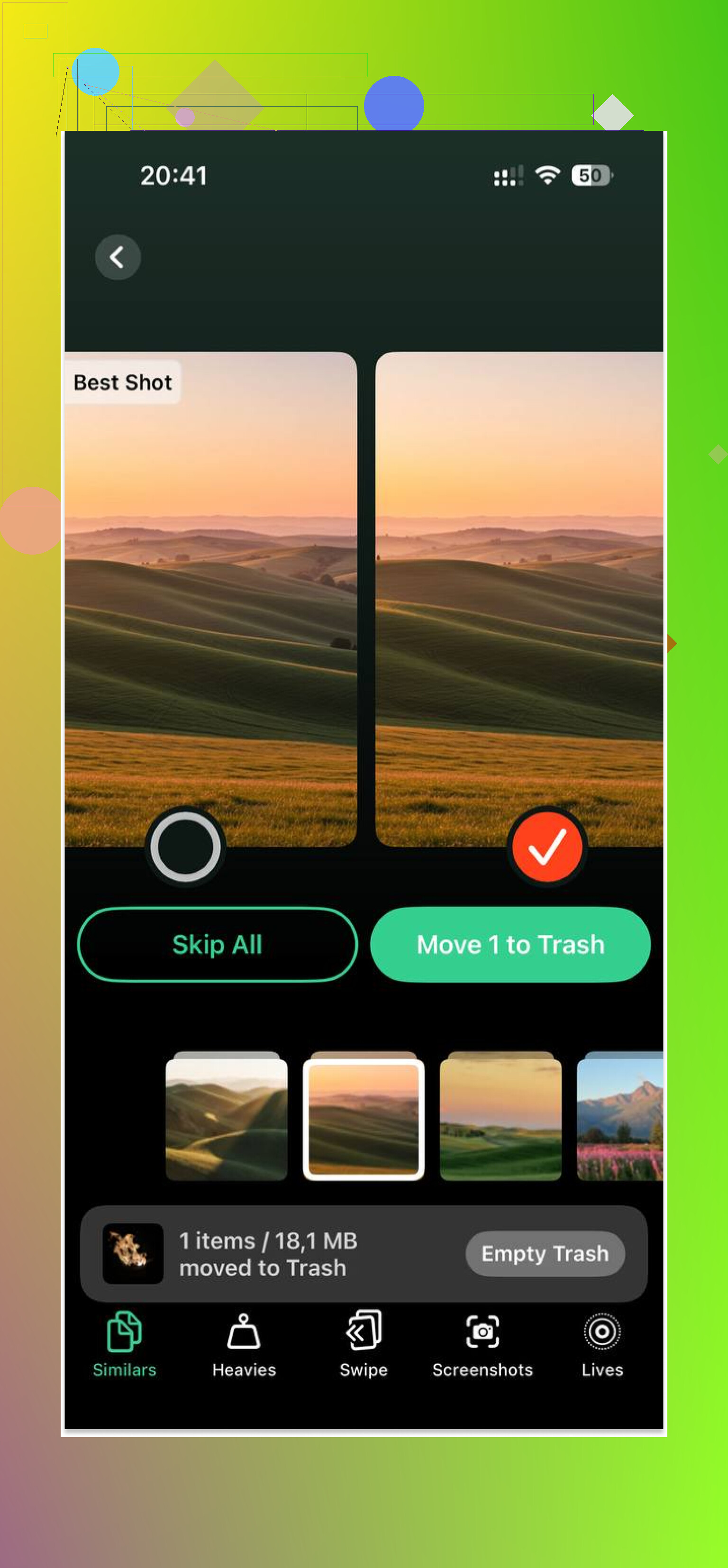
I tried cleaning it by hand first. Bad idea. Sorting through thousands of photos on a laggy tablet is miserable. Later I used Clever Cleaner, mostly because I wanted something faster for finding the largest files and duplicate shots. It helped me cut out a few gigabytes without much effort.
The part I liked most was the file-size sorting. Large videos surfaced fast, so I could remove the worst offenders first. It also grouped similar photos, which helped with duplicate screenshots and near-identical camera shots. After I cleared around 5GB, the freezing dropped off a lot, almost right away on my iPad.
One more setting I changed
If you use Apple Mail and keep a big inbox synced, look at your fetch settings. Push mail keeps the iPad checking for new messages in the background. I switched mine to Manual Fetch, and it took some pressure off the system. If your tablet is already struggling, every background process matters.
If none of this changes anything
Then I’d look at the battery. A worn battery sometimes leads to reduced performance, especially on older hardware. But I’d still start with storage cleanup, Safari data, and the background settings first. Those were the fixes that made the biggest difference for me.
Mine felt usable again after doing all this. Not new, not magic, but usable. If your iPad is freezing and lagging, I’d start there.
1 Like
If restarts and freeing space did not stick, I’d stop tweaking and test the iPad in a more controlled way.
First, check battery health in a roundabout way. iPads do not show it like iPhones, so use Apple Support diagnostics or a Mac tool like coconutBattery. Old batteries cause random slowdowns, heat, app crashes, and freeze ups. I disagree a bit with @mikeappsreviewer on one point, Safari is often a symptom, not the root cause.
Next, uninstall the worst apps, then reinstall only the ones you use weekly. Some old apps leak memory or hang on old iPadOS builds. Streaming apps, social apps, and ad-heavy games are common offenders. If freezes happen less after removing 2 or 3 heavy apps, you found part of the issue.
Then do this. Settings > Privacy & Security > Analytics & Improvements > Analytics Data. If you keep seeing the same app name in panic or crash logs, delete that app first. It sounds nerdy, but it saves time.
Also, turn off widget stacks and extra Home Screen widgets. Older iPads hate those. Remove VPN profiles too if you use one. Bad VPN apps wreck perfomance.
If the iPad still freezes, back it up and do a full factory reset. Set it up as new for one day, not from backup. This is the part most people skip. If it runs fine as new, your old backup carried the problem back in.
For storage cleanup, Clever Cleaner is worth a look if photos and big files are clogging things up. This review covers it well, best free storage cleanup app review for clearing iPhone and iPad space.
If it still locks up after a clean reset, your iPad is near the end. At taht point, repair or replace is the honest answer.
I’d actually check one thing neither @mikeappsreviewer nor @reveurdenuit really leaned on enough: heat. Old iPads get weird when they run warm. If it freezes more while charging, streaming, on FaceTime, or sitting in a case, that matters. Take the case off, use it unplugged for a bit, lower screen brightness, and see if the random lockups calm down. Sounds dumb, but I’ve seen that fix “mystery lag” more than once.
Also, look at what happens right before the freeze. If it’s always after waking the iPad, opening one specific app, or switching between apps, that points to a software conflict more than “the whole iPad is dying.” I’d start deleting apps you barely use, especially old games, shopping apps, and anything stuffed with ads. Some of those are resource vampires on aging hardware.
Another thing people skip: browser extensions and content blockers. If you use Safari extensions, disable all of them for a day. Same for custom keyboards. Third-party keyboards can make typing lag and sometimes freeze the UI in random spots. Not super common, but on older iPads, little stuff adds up fast.
If your photo library is huge, that can still be part of the slowdown even after freeing space. Background indexing, face recognition, and iCloud Photos syncing can hammer an older device. Pause syncing for a while and see if performance improves. If your storage is packed with photos and videos, Clever Cleaner is honestly useful for sorting duplicates and large files faster than doing it manually. I’d use that before spending an hour rage-deleting screenshots one by one.
Also, this quick video on how Clever Cleaner helps free up iPhone and iPad storage fast explains it better than I can.
One minor disagreement with the other replies: I wouldn’t immediately assume factory reset unless you notice the freezing across multiple apps and even in Settings. If it’s isolated, hunt the bad app first. If it freezes inside Settings too, yeah, then the reset path is probly unavoidable.

I’d add one angle the replies from @reveurdenuit, @vrijheidsvogel, and @mikeappsreviewer only touched lightly: network weirdness. Old iPads can feel “frozen” when they are actually hanging on bad Wi-Fi, captive portals, Private Relay-like relays, DNS filters, or flaky Bluetooth accessories. Test it in Airplane Mode with Wi-Fi back on, then fully off, and also with Bluetooth off. If the freezing changes, the issue is not pure hardware.
A couple of things I’d try that are different from the usual checklist:
- Reset Network Settings. Annoying, but corrupted network configs can cause stalls system-wide.
- Turn off Siri Suggestions in Search and widgets in the search screen. Those background suggestions can drag on older models.
- Check Date & Time is set automatically. I have seen weird sync hangs when the clock is off.
- Remove any old profile under VPN & Device Management, even if you forgot it was there.
- Test without Apple Pencil or keyboard case attached.
One small disagreement: I would not obsess over Safari unless the freezes are mostly web-related. If Settings itself stutters, think system load, battery, storage, or failing flash.
If photos are the main storage hog, Clever Cleaner is fine for quick cleanup. Pros: easy duplicate finding, surfaces large files fast. Cons: cleanup apps can miss context, and you still need to double-check before deleting.
If the iPad freezes while doing nothing but sitting on the Home Screen, that is the big red flag. At that point, it is usually aging hardware, not a tweakable setting.