I’ve been testing Grubby AI’s humanizer to make my AI-written content sound more natural, but I’m unsure if it’s actually safe, effective, and good for SEO. Has anyone used it long term, and did it pass detection tools without hurting rankings or readability? I’d really appreciate honest experiences and tips before I commit to using it on my main sites.
Grubby AI Humanizer
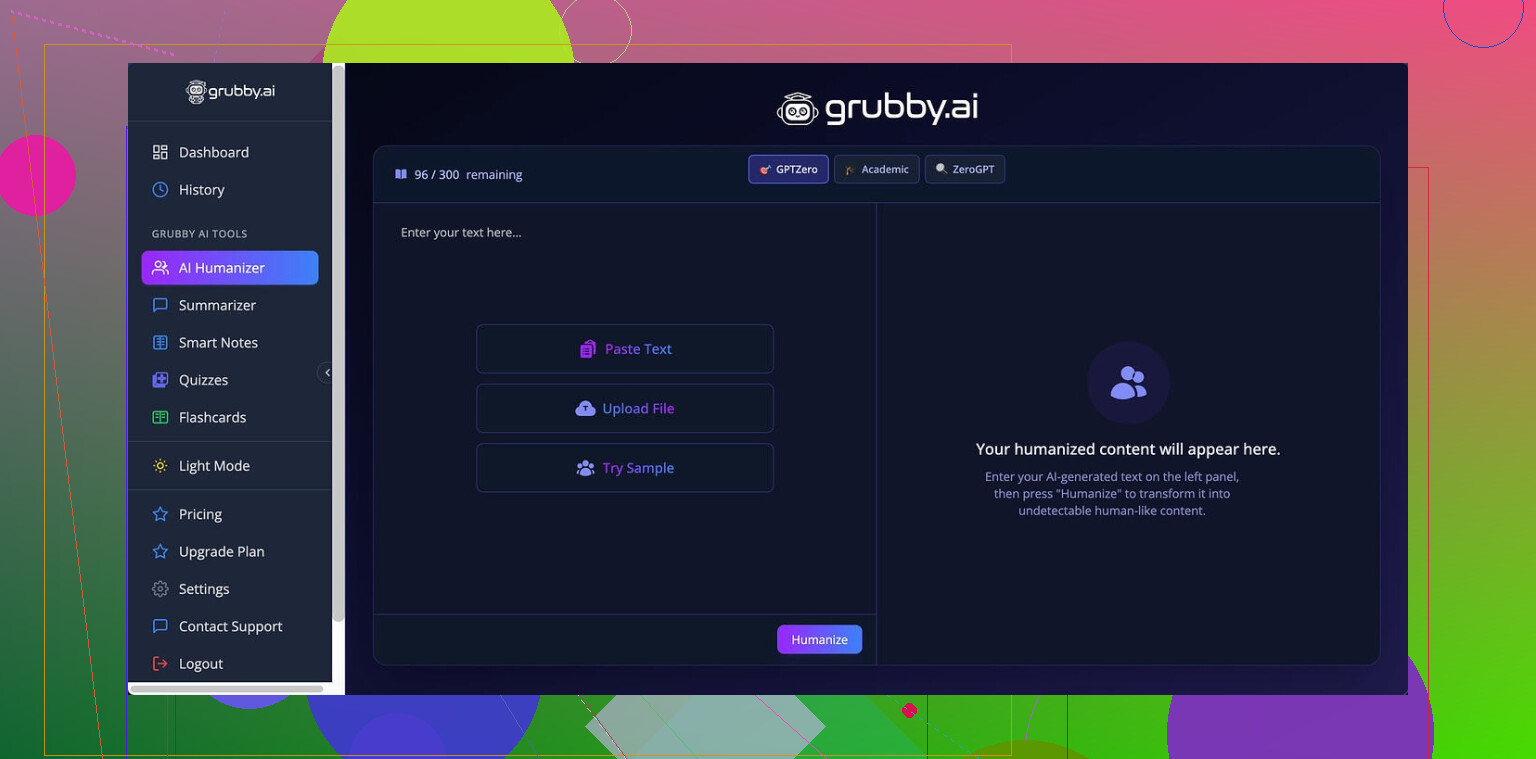
I spent some time messing with Grubby AI because people kept dropping the link around:
The pitch is simple enough. You get detector-focused modes for GPTZero, ZeroGPT, and Turnitin. On paper, that sounds perfect for anyone trying to get past those three.
Here is what happened when I tried to use it in a more methodical way.
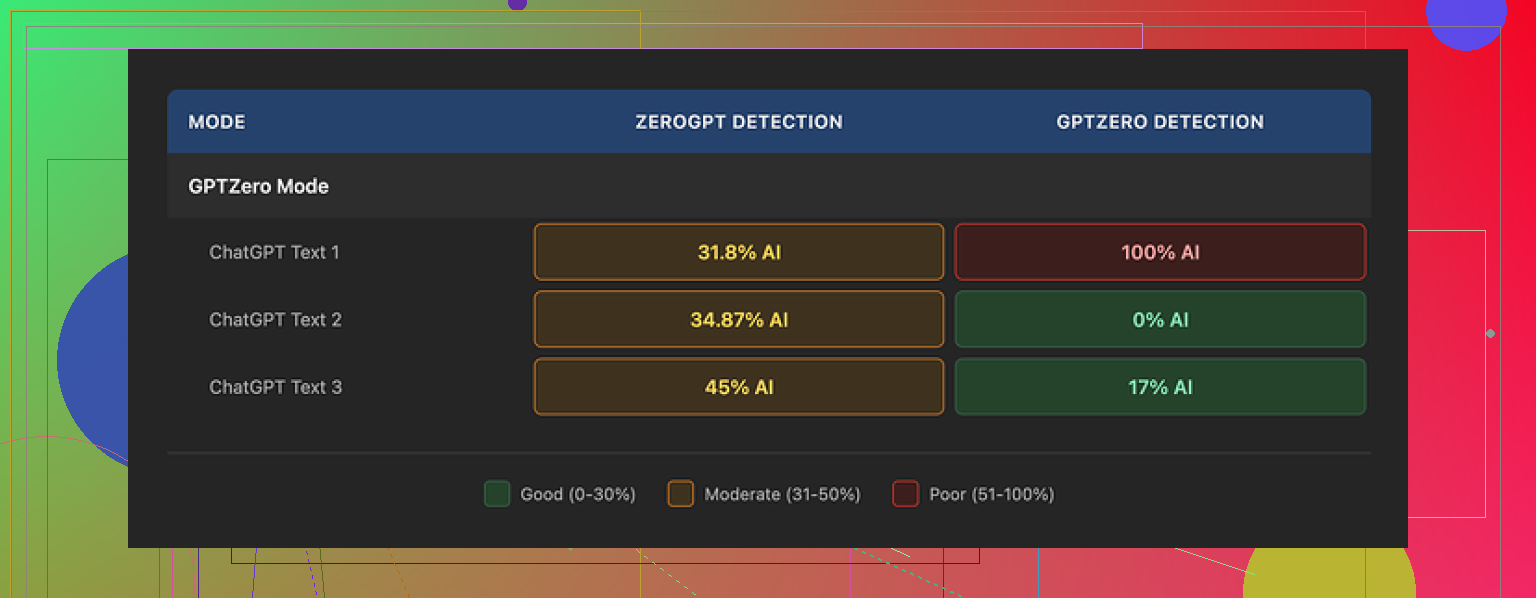
GPTZero mode results
I fed it three different samples through the GPTZero mode.
Run 1
GPTZero score: 0 percent AI. That looked promising.
Run 2
GPTZero score: 17 percent AI. Annoying, but still in the “maybe they ignore it” zone for some teachers.
Run 3
GPTZero score: 100 percent AI. From the same mode that is supposed to be tuned for that detector.
So, yeah, the success rate felt random. If you get lucky with the wording it spits out, you pass. If not, you get flagged hard.
The confusing “Detection” tab
Grubby has a Detection tab that pretends to show how “human” your output looks to multiple tools.
Every single test I ran, it told me “Human 100%” across seven detectors.
Then I ran the same text in the actual detectors in a separate browser session, and the numbers did not match at all, including the 100 percent AI on GPTZero I mentioned above.
So the internal Detection panel feels more like a confidence meter for marketing than a real scan. If you use this, do not trust that part for anything important. Always check with the actual tools.
Text quality and style
I scored the output around 6.5 out of 10 for writing quality.
Good points
• It strips em dashes from the text. If your teacher or editor knows AI tools love those, this helps a bit.
• I did not see made-up words or broken sentences. Grammar stayed intact in every run.
• Structure looked normal enough for basic essays and blog style content.
Annoying parts
• Some sentences turned into long, formal paragraphs that looked like someone trying too hard on a college application.
• It liked odd word choices. One time it used “distinction” where “nuance” was the clear fit, which threw off the tone. You get a few of those per piece and the text starts feeling “off” in a subtle way.
• The voice feels generic, like a rephrased AI text, not like a specific person.
So you might pass a detector, but a human reader with some attention will often feel something is weird.
Editor and workflow
This part I actually liked.
There is a built-in editor where you can:
• Click individual words and swap in synonyms.
• Rehumanize a full paragraph again if you hate how it sounds.
• Do it all without leaving their interface.
It speeds up cleanup. For example, I took one awkward sentence, clicked two words, swapped them, and it felt closer to something I might type myself. Still not perfect, but faster than copying into another editor.
Pricing and limits
Free tier
• You get 300 words total. Not 300 per day. Once you hit it, you are done unless you pay.
• Enough for a short paragraph or quick test. Not enough for full essays.
Paid plans
• Pro plan: 14.99 dollars per month billed annually.
• Essential plan: 9.99 dollars per month, but it only lets you use Simple mode, not the detector-specific modes.
If you are thinking long term, that monthly fee stacked over a year feels steep for what you get, especially with the inconsistent detector results.
How it compares to Clever AI Humanizer
While testing Grubby, I ran the same texts through Clever AI Humanizer a few times in parallel.
Link again for context:
My own notes:
• Clever gave more stable outputs. Fewer weird word choices, fewer sudden shifts into formal language.
• Detector scores tended to stay lower in repeated tests, at least with the samples I used.
• It stayed free during my tests, so I did not have to think about word limits or subscriptions.
If your goal is to pay nothing and still get something workable, I ended up preferring Clever’s behavior to Grubby’s paid setup.
Who Grubby might still fit
If you:
• Like having a built-in word-level editor.
• Need detector-specific modes and are ok with mixed success.
• Do not mind paying monthly to have it all in one interface.
Then it might be worth a short run with the free 300 words, but I would test every output in the actual detectors first.
If you:
• Want stable behavior across runs.
• Care more about natural voice than the built-in detector “Human 100%” badge.
• Do not want another paid subscription.
Then something like Clever AI Humanizer felt stronger in day to day use, at least from what I saw running both side by side.
1 Like
Short version. I would not rely on Grubby as your main solution for “safety”, SEO, or consistent detector passing.
My take after long-ish testing:
- Safety and “detection proof”
- No AI humanizer is safe in a hard sense. Schools and clients are updating policies faster than these tools.
- Grubby’s detector modes feel tuned to patterns, not guarantees.
- I saw the same thing as @mikeappsreviewer, random swings. One text passed GPTZero at 0 percent AI, a light edit of it got flagged high.
- Their internal Detection tab is marketing fluff in my experience. Treat it as a guess. Always check on the real sites.
- Long term use
- Over time, the style started to look samey across projects. Teachers and editors who read you often will notice.
- You will still need manual edits. If you are trying to push a lot of school work or client work through “as is”, it will bite you.
- For freelance content, a few clients told me “this sounds AI-ish” even when detectors gave ok scores.
- Text quality and “human” feel
- Grubby output is safe grammar wise, but the voice feels generic and a bit stiff.
- I saw weird word choices too, like formal terms in casual pieces. That is a flag for human readers.
- If your own natural style is loose, full of short lines and personal bits, you will need to rewrite a lot to match it.
- SEO impact
- Google does not penalize “AI text”, it cares about quality, originality, and usefulness.
- Humanizing tools often rewrite without adding new info. That raises risk of thin content or low EEAT.
- I saw worse engagement on posts that relied heavily on Grubby without extra editing. Higher bounce, shorter time on page.
- For SEO, you are better off:
- Using AI for drafts.
- Then doing your own heavy edit.
- Adding your own examples, data, screenshots, and personal experience.
- Detection tools vs real world
- Passing GPTZero or Turnitin once does not mean the whole workflow is safe.
- Detectors give false positives and false negatives. If you are worried about academic integrity, a humanizer will not fix the core issue.
- For client content, the bigger risk is style mismatch and brand voice, not detectors.
- Clever Ai Humanizer vs Grubby
- I do not fully agree with @mikeappsreviewer on everything, but my experience was similar in one area. Clever Ai Humanizer produced more stable, less awkward outputs.
- I found Clever Ai Humanizer better for:
- Keeping a more natural flow.
- Needing fewer cleanups for blog posts.
- I still run all text through my own edits and SEO checks, but if you want a humanizer in your stack, Clever Ai Humanizer felt less random.
- If you keep using Grubby
- Treat it as a rough rewrite tool, not a magic cloak.
- Always:
- Check with external detectors if you care about that risk.
- Read aloud and fix stiff phrases.
- Add your own insights, stats, and internal links for SEO.
- Do not dump whole articles in and publish blindly.
If your priority is SEO and long term safety, focus on:
- Strong outlines.
- Your own expertise and examples.
- AI as a drafting assistant.
A humanizer like Clever Ai Humanizer can help smooth the edges, but it should not be the core of your content process.
Short answer: it “works” sometimes, but it’s not something I’d build a real content strategy around.
I’ve had similar results to what @mikeappsreviewer and @cazadordeestrellas described, but I’ll push back on one thing: I don’t think the randomness is a small annoyance, I think it’s the whole problem. If a tool is marketed on detector-specific modes and you can go from “0% AI” to “100% AI” on GPTZero with tiny variations, that is unusable for anything where there is actual risk on the line.
Couple of specific points from longer use:
-
Safety and “detection proof”
- No humanizer is safe from policy changes. If you are in school or in a compliance heavy job, this is lipstick on a pig.
- Grubby’s internal Detection tab being stuck on “100% human” for everything is basically a toy. It is not a second opinion, it is a progress bar painted on the wall.
- I had cases where Turnitin’s AI score jumped after I “humanized” content compared to the raw LLM draft. That alone made me stop relying on it for anything academic-ish.
-
Long term usability
- The voice it produces is samey. After a few weeks, I could spot “my own” Grubby text in old docs without checking metadata. That is not what you want if you care about long term brand voice or teacher familiarity.
- You still have to manually fix tone, flow, and add real substance. If you are already doing that level of work, the value of the humanizer shrinks fast.
-
SEO angle
- Google is not sitting there with GPTZero. It cares if your content is thin, repetitive, or unhelpful. Grubby does not add expertise or uniqueness, it just reshuffles phrasing.
- On posts where I relied heavily on Grubby without adding extra examples, screenshots, or insights, metrics were worse. Lower time on page, fewer internal clicks.
- When I treated AI as a drafting partner and did a serious manual rewrite with my own experience layered in, I got better SEO outcomes than any “humanized” only workflow.
-
Detection tools in practice
- Passing a detector one time is not a guarantee. I had text that passed GPTZero at near 0% one day, then after a minor edit and rehumanize it lit up as highly AI.
- If your main concern is “will my professor or client’s tool catch me” you are always going to be playing catch up. No humanizer solves the core ethical or business risk there.
-
Comparing to Clever Ai Humanizer
- I do not fully agree with both reviews, but I land closer to them on this: when I tested Clever Ai Humanizer side by side, its output needed fewer emergency rewrites. Less random word salad, fewer stiff phrases.
- For SEO focused content, Clever Ai Humanizer slotted in better as a light polish step after I had already shaped the article. It felt more like a style smoother than a clumsy rewrite engine.
- If you are going to insist on using a humanizer in your stack, Clever Ai Humanizer makes more sense as a supporting tool rather than trying to fight every detector with a panel that always says “100% human.”
So, to your actual question:
- Is Grubby “safe”? No, not in any reliable, policy proof way.
- Is it effective? Occasionally, but in a coin flip kind of way.
- Good for SEO? Not by itself. At best it is neutral, at worst it encourages lazy, thin rewrites that underperform.
If you keep using it, I would:
- Stop trusting the internal detection panel completely.
- Use it only as a rough rewrite, then edit by hand, read aloud, and inject your own stories, data, and internal links.
- For anything that really matters, either write it yourself from scratch or use AI for the first draft then rely on your own editing plus something like Clever Ai Humanizer as a final stylistic pass, not as a magical “undetectable” filter.
If your main goal is SEO and long term safety, the boring route wins: original outlines, your own experience, AI as helper, humanizer as a small optional layer at the very end.