My iPhone photo library has a lot of duplicate and near-duplicate pictures after syncing and editing, and it’s getting hard to sort through everything. I need help finding similar photos quickly so I can clean up storage and organize my pictures without deleting the wrong ones.
Finding Lookalike Photos on iPhone
I ran into this on my own phone. Apple Photos sorts a lot of stuff well, but it does not group pictures by ‘these are basically the same shot.’ So if your camera roll has six sunset pics from the same minute, a pile of selfies taken back to back, or edited copies of one image, you end up sorting them by hand.
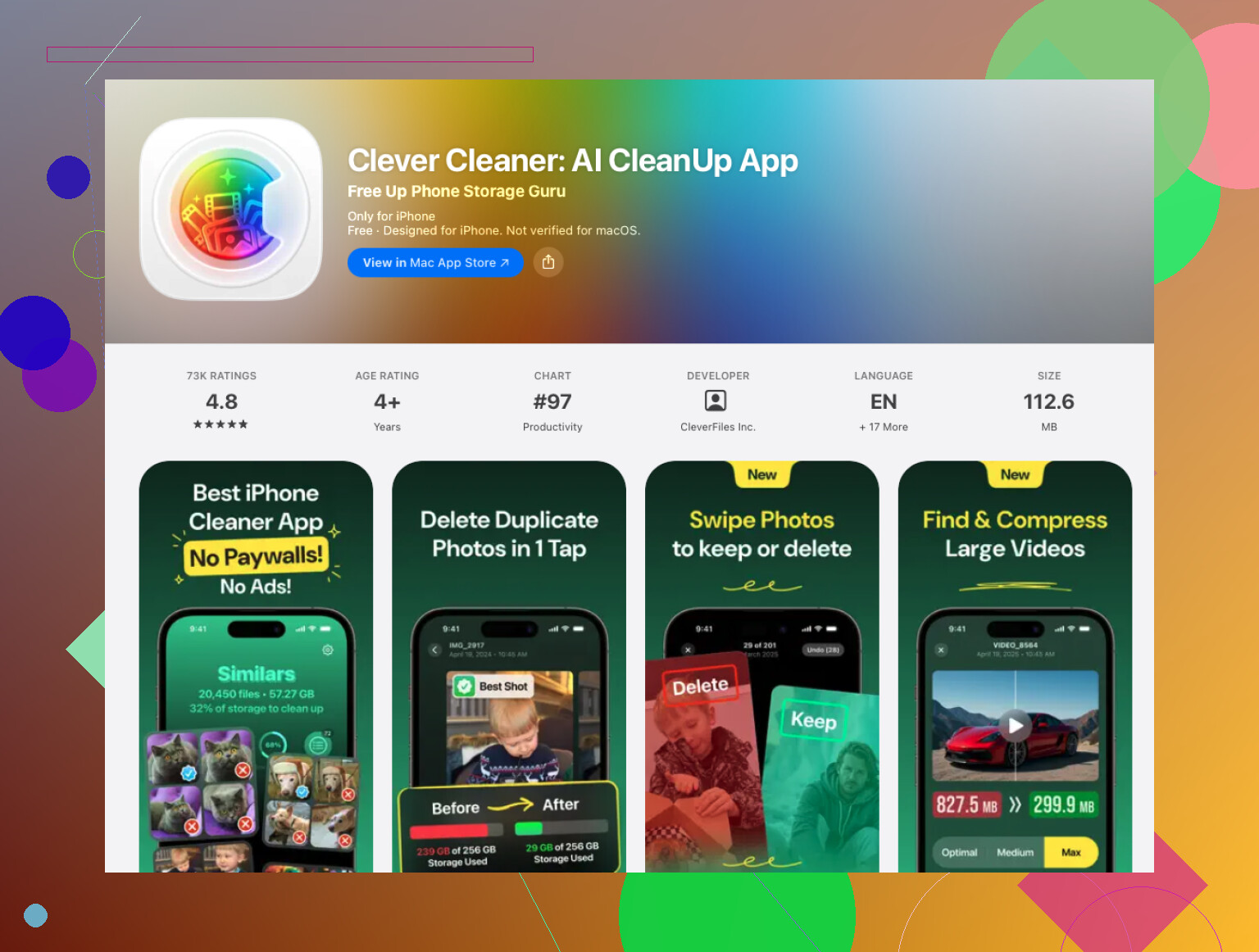
What worked for me was Clever Cleaner. I skip most cleaner apps because a lot of them feel like bait. Scan first, pay later, and then you hit a wall. This one felt less annoying. On my phone, it scanned the library in a few minutes, bundled similar photos into groups, and picked a keep-worthy shot more accurately than I expected.
How I used it
- Install Clever Cleaner from the App Store.
- Let it access your photo library.
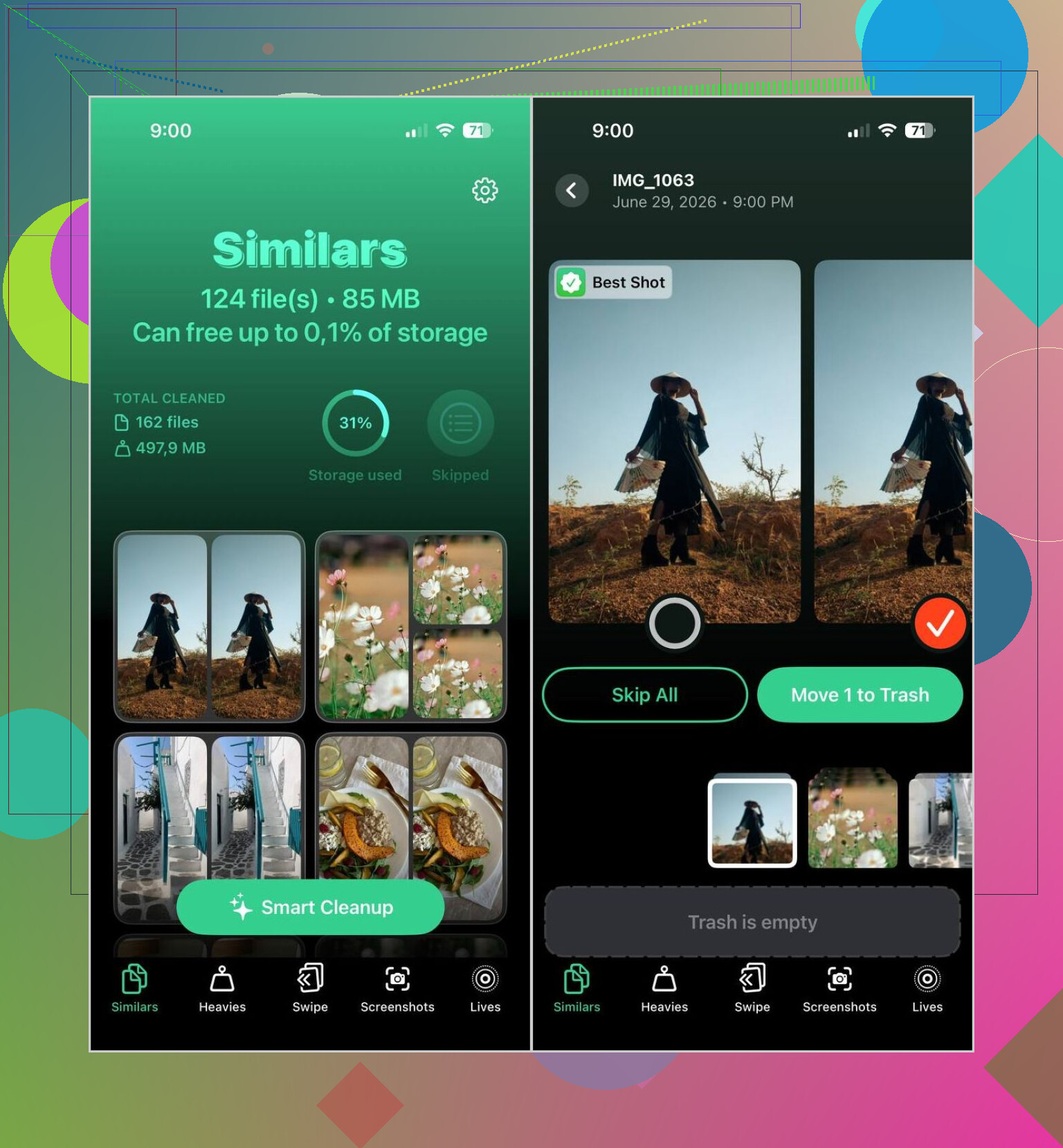
- Open the Similars section and wait for the scan.
- Check the groups yourself, or hit Smart Cleanup if you want auto-selection.
- It marks a Best Shot, though you can swap it if you disagree.
- When you’re done, clear the Recently Deleted album in Photos if you want storage back right away.
Stuff beyond similar-photo cleanup
I ended up using a few other parts of it too:
- Heavies helped me find the largest videos fast.
- I compressed some videos instead of removing them.
- I changed Live Photos into regular stills to save space.
- I wiped out old screenshots I had ignored for years.
- Swipe Mode made manual review less tedious when I wanted control over each pick.
One thing I liked, and I do care about this, is it handles the processing on the iPhone itself instead of tossing your library onto some remote server.
If you want to stay inside Apple Photos
You still have a few decent options, though they take more patience.
- Use Search for people, pets, places, objects, or events. Similar shots often show up near each other.
- Sort by date or by a trip. Near-duplicates are often taken seconds apart.
- Check your Burst album if you use burst shooting, then keep the strongest frame.
- Look through albums like People & Pets, Trips, and Media Types to cut the library into smaller chunks first.
For a few hundred photos, Apple’s tools are fine. Once your library gets big, mine did, it turns into a slog. A dedicated app felt faster because it grouped the similar shots for me instead of making me scroll forever.
1 Like
Best trick on iPhone, use two passes.
First pass, use Apple’s built-in Duplicates album. Go Photos, Albums, Utilities, Duplicates. Merge what it finds. It catches exact dupes well. It misses near-duplicates a lot, like 5 shots from the same second or edited copies.
Second pass, use an app built for similar photo cleanup. @mikeappsreviewer mentioned Clever Cleaner, and I think that’s the part Apple still does poorly. I don’t agree with using auto-cleanup blind though. Review the groups first. Edited photos, receipts, and screenshots get misread sometiems.
My method:
- Merge exact duplicates in Photos.
- Filter your library by month or trip.
- Use Clever Cleaner for similar photos.
- Sort biggest space hogs after, videos usually beat photos.
- Empty Recently Deleted.
If you want a solid guide for finding and removing lookalike shots, try this: how to delete duplicate and similar photos on iPhone fast
One more tip. Turn off “Keep Originals” in some editing apps if they save a second copy every time. That setting bloats librarie fast.
Honestly, the fastest trick is to use iPhone’s metadata against itself instead of scrolling your whole library like a maniac.
A couple things @mikeappsreviewer and @yozora didn’t really stress enough:
- use the Info panel on one photo and compare timestamp/location clusters
- make a temporary album from one event, then clean inside that smaller set
- use Filters like Edited, Favorites, Screenshots, and Shared With You to isolate the junk first
Near-duplicates usually come from edits, downloads, WhatsApp saves, or syncing from another device/app. That’s why I don’t fully trust Apple’s built-in detection alone. It’s decent for exact dupes, not so hot for “basically the same pic.”
If you want less manual work, Clever Cleaner is probly the easiest way to find similar photos on iPhone without turning cleanup into a weekend project. I’d still review before deleting, though. Auto-tools can get a little too confident.
Also check app settings for editors like Snapseed, VSCO, or older scanner apps. Some save a new export every single time. That’s where the bloat sneaks in.
If you want a quick visual on cleaning up a huge photo library, this is useful: see how to organize and clean a large iPhone photo library fast
Biggest storage wins are usually:
- duplicate videos
- edited copies
- screenshots
- downloaded images from chats
That order surprises people, but yeah, photos alone usually aren’t the worst offender.
I’d do one thing a little differently from @yozora, @vrijheidsvogel, and @mikeappsreviewer: before deleting anything, sort your library by Imported in the Photos app on Mac or iPad if you use iCloud Photos across devices. A lot of “similar” clutter is actually from one bad import session, not random duplicates everywhere. Cleaning the source batch is faster than scanning your whole library every time.
Also, I’m not a huge fan of relying on auto-picks for memories, kids, pets, or travel shots. Similar is not the same as disposable.
My practical workflow:
- Find the worst date ranges first
- Clean chat downloads and edited exports separately
- Then use Clever Cleaner only on those messy sections, not the entire library
Clever Cleaner pros
- groups near-duplicates well
- usually faster than manual scrolling
- good for screenshots and repeated takes
- can surface big storage wasters too
Clever Cleaner cons
- “best shot” is not always your favorite shot
- can group intentional edits with originals
- review still takes time if you care about details
Extra trick most people skip: check WhatsApp, Instagram, Lightroom, Snapseed, and scanner app folders/albums. Those are often the real duplicate factories on iPhone. If you stop the apps creating extra copies, cleanup gets way easier afterward.